Showing posts with label phonics. Show all posts

Tuesday, September 27, 2016

Ultimate Phonics Reading Program (A Homeschool Review Crew Review)

Did you know that statistics show that only 4% of 8th-grade students are advanced readers, while 22% have been lost in the shuffle and can't read at all?  Spencer Learning is as appalled at that statistic as the rest of us and has created the Ultimate Phonics Reading Program to help combat this. With this program, your child will learn all of the phonetic sounds and rules.


Ultimate Phonics Reading Program {Spencer Learning}

While I imagine that there are a large number of cognitively average students struggling, students with learning disabilities make up a significant portion of this statistic. The Ultimate Phonics Reading Program is ideal for these students.  The program contains 7,000 pages of material divided into 262 lessons.  These lessons are divided by sounds and their rules, not necessarily by letter, and includes high-frequency sight words (the bane of any struggling reader's existence).  It is very explicit learning, which is particularly useful for the student who needs sounds and visuals clearly defined.

While I worked with first-grader Damien because I wanted to play with the program and see its features, it is a program that can be used independently, making it ideal for older students who may prefer to practice reading more privately.  It is compatible with both Windows (10/8/7/Vista/XP) and Mac (iOS 10.5.8 or higher) computers.  It also can be installed on more than one machine -- the program owner receives a lifetime license to access the material.  I appreciated that it works with the iOS system - often educational software doesn't work with Macs.  If you're like me and have no clue what the numbers are, according to hubby 10.5.8 (the minimum for this to work ) is the "Leopard" operating system.  (I had no problems running it with even the "newest" El Capitan (10.11.6) update that came mid-way through the review period.)  I'm hoping that future software updates will work with the Chrome OS.  As much as I appreciate the Mac compatibility, letting Damien work independently left his Chromebook on the table and me without a computer to use to work with the other boys.

While I worked with first-grader Damien because I wanted to play with the program and see its features, it is a program that can be used independently, making it ideal for older students who may prefer to practice reading more privately.  Another thing that I liked was that it is easy to skip around in the program, so you can target what your student needs to learn, and not waste time one what he already knows. If your child is still in the pre-reading stage, you can begin with Lesson One. If your child has advanced to the emergent reader stage, you can click forward.  Damien is in the "later" emergent reader phase, approaching fluency, so we skipped forward and began around Lesson 150 - soft C.  Not sure where your child is on the reading line? Spencer Learning offers a reading test that will help you determine what skill level your child is.


 Because of its division of sounds, it also is useful to students learning English as a second language.  There are also no cartoon characters, literally no bells or whistles, etc. that are common with many "early reader" programs. Each lesson is divided into four sections:

Introducing the sound (or sight words):


A word list for both reading and spelling practice:


Practice with the words, broken into visible syllables, including auditory instruction on how to pronounce them:


Using the words in a sentence, giving the ability to read in context.


I'm not sure I'd call this the "ultimate" reading program, if only because it didn't suit Damien very well.  The simplicity that makes it ideal for older students was boring for six-year-old Damien.  Each lesson, in whole, takes about 15 minutes to go through, but we found them taking longer, because instead of just reading he was clicking on every word to hear the computer read it to him.  However, because of its very explicit instruction, I would choose this for an older student who needs extra help, rather than a younger new reader.

To read more about what the Crew thought of the program, click the banner below.  You can also follow Spencer Learning on Social Media:

Facebook: https://www.facebook.com/spencerlearning
Twitter: https://www.facebook.com/spencerlearning


Ultimate Phonics Reading Program {Spencer Learning}


Crew Disclaimer


©2012- 2016 Adventures with Jude. All rights reserved. All text, photographs, artwork, and other content may not be reproduced or transmitted in any form without the written consent of the author. http://adventureswithjude.com

Friday, April 15, 2016

Talking Fingers: Read, Write, & Type (A Schoolhouse Crew Review)


Talking Fingers, Inc. was founded in 1982 by neuropsychologist Dr. Jeannine Herron. Their philosophy is simple: text is speech made visible! Mouths make the sounds of speech, while written language is how we represent those sounds on paper. When children learn to link speech sounds with letters, they can use the alphabet to write any word they can say. Instead of using a pencil to write, Read, Write, & Type software lets your fingers "talk" with a keyboard. With this research-based program, speech sounds are linked to a letter, and then to finger stroke on the keyboard. With each of the forty lessons, users pronounce, segment, type and spell hundreds of words.

Read, Write, & Type's primary market is students ages 6 to 9 who are learning to read. For being what seems on the surface to be "just" a typing course, by seeing letters and words, hearing their sounds, speaking the words, and touch-typing, the program provides a multi-sensory experience for students to learn with.  Beginning with letters/phonemes and combining high-frequency/high-ease sounds with simpler dexterity demands, it teaches reading and writing from a unique perspective. Rather than doing all of the "home" keys, and then the easy-to-reach keys, it dives in to useful keys.


Because of this integrated approach, it also is a suitable program for students with learning disabilities or reading difficulties, or for young students learning English as a second language (ESL). While English is Luke's primary language, he tested the program from the perspective of an ESL student. We received a one-year subscription to their online program. (There is also a CD-based program for OLDER computers - Mac Classic or OX 10.5 or LOWER, Windows 95 through XP, as well as a school licensing program.)

Read, Write, & Type has the ability to teach ESL students of many foreign languages. While Luke approached it from a Spanish speaking perspective, it also has ESL options for:
  • Middle Eastern languages: Arabic, Farsi,
  • Asian/Pacific languages: Japanese, Korean, Malaysian, Mandarin, Tagalog
  • European languages: Portuguese, Spanish

Typing is often easier for younger students, even if they've never been exposed to keyboarding, because they haven’t yet formed the “hunt and peck” habits. Luke definitely found this to be true; though he was exposed to typing classes in the past, they never really "stuck" because he had the "two-finger" approach already ingrained. I've noticed that his full-hand typing has become much smoother with all of the practice that Read, Write, & Type has given him. It took him about two weeks of daily practice to relax into it; when first starting out and learning a few letters at a time, it was hard to be patient and not just revert back to his old habits. Now that he's typing words and sentences, things have smoothed out a bit. I think that if you're an ESL student coming from a Latin alphabet language, it might be a little tougher because you may have some typing habits to break. However, if the student is used to typing using either a foreign keyboard or overlay, it may be an experience closer to a complete novice because he will be learning the sounds and the letter placement just like a younger child.


When using the program features for ESL students, the instructions are given first in the "native" language (in Luke's case, Spanish). Luke was concerned that he might have a difficult time because he's not a native Spanish speaker. Using these standards as a guideline, he's probably a high-intermediate student. Directions for the program were given first in Spanish, followed by English. Since the English part program is geared toward younger students, the Spanish-speaking directions were reasonably simple and he understood them well, even before the English version came through. The translations were very good, including some pragmatic idioms in both languages, rather than literal translations. The words/sentences typed were completely in English. He thought this was almost a "best of both worlds" situation -- immersion in language for reading/typing, but with directions that would be understood the a native language. The directions were also spoken at a relatively slow speed in both languages. He said, "It wasn't 'you're an idiot who doesn't understand slow,' but more like how you'd give directions to Jude and Damien in a clearer and slower voice than if you were talking to me."

As students progress, they earn certificates to reward their progress. Even Luke was tickled to screenshot his first awards.


 He liked the near-instant feedback of how he was doing. After 4 lessons, he would receive a certificate of completion. The program is designed to cater to younger students' attention spans -- each lesson took him 10-15 minutes to complete. At first, he'd work until he got a certificate at the end of each day - it was a mini-challenge for him that really did help his typing skills. Once he learned to several individual letters, it moved into more progressive combinations of phonemes and eventually into complete sentences. Pictures helped provide visual cues for translating -- it might be difficult to translate "gato gordo" to "fat cat" with just words, but this corpulent kitty helped reinforce the idea of "fat" and "cat".


Luke's one complaint was that the story was definitely geared to younger students, and would not recommend this for students above middle elementary school. Once the novelty wore off, it was harder for to maintain interest in the program. He was torn between "Yes, I'm really learning something," and "This is frustratingly little-kid." Prior to joining the review, Damien (almost 6) tried the program and loved the story, so it's definitely engaging and motivating for his age range!

His description of the process:
It's pretty slow at first. It works letter by letter, dipthong and sound by....well you get the idea. Stories make it a more natural learning style, so it is not overwhelming from the start. There is a lot of repetition that bored me, but if I apply how I learned Spanish by practice, practice, practice, I do understand how that but that helps drive the ideas home for beginners.
I liked that parents and students had indvidual log-ins. They do share a landing page, but once logged in, the system knows where to direct the user. While we used the program with a single student, you can have multiple students registered. I thought the parent's page was tricky to navigate at first, so don't try to set this up when you have kiddos hovering at your elbows. I gave Luke full access to the program, knowing that he tends to work at odd hours, but you can limit days and times that a student may work. Reports showed not just the overall average for the section, but also individual phonics, reading, and spelling scores.  Between being able to set the threshold for what I considered a passing grade (for Luke, 90%) and the ability to see where a student might be weaker, this program is able to help identify how well the student understands what he is typing, as opposed to him being able to just tap out a string of letters.


Overall, we liked Read, Write, & Type for teaching young students - both native English speakers and ESL students - to read and type. It provided a strong typing program that reinforced English phonics and phonemic reading. As a program for ESL students, it provided clear directions in both the native language (Spanish, in our case) and English. It provided clear instruction in both pronunciation and pragmatics, as well as keyboarding skills. An ESL student definitely won't be FLUENT in English by the end of this program, but will likely be pretty good at phonemic decoding. Due to its storyline, we'd recommend it for students up to about 5th or 6th grade.


For more about the program for ESL students and native English speakers, follow Talking Fingers on Social Media, or click the banner to read other reviews.


Facebook:  https://www.facebook.com/TalkingFingers/
YouTube:   https://www.youtube.com/user/talkingfingersvideo
Twitter:  https://twitter.com/ReadWriteType/


Talking Fingers Inc. Review


©2012- 2016 Adventures with Jude. All rights reserved. All text, photographs, artwork, and other content may not be reproduced or transmitted in any form without the written consent of the author. http://adventureswithjude.com

Wednesday, October 7, 2015

Reading Kingdom (A Schoolhouse Crew Review)


Two years ago, Jude reviewed Reading Kingdom Online, and over the course of the review, I found that I liked the premise of the program.  However, after a few more months, we found it didn't fit us as well as we thought.  We put it aside and let our subscription lapse.  We had the opportunity to try the Reading Kingdom's  program again this fall, and this time both Jude and Damien both got to work with it.  I'm glad to have had the chance to simultaneously compare the different sections of Reading Kingdom.

As opposed to most phonics-based programs, Reading Kingdom is a patented program created by developmental psychologist Marion Blank.  Dr. Blanks's program uses six reading skills to teach reading: 

By integrating these, Reading Kingdom allows a student to reach fluency more easily.  The program's goal is to teach words in context so that a student realizes how to say, spell, and understand a word.

According to Reading Kingdom, the program will work with any web browser, but we discovered that the loading was slow and often riddled with bugs when using Firefox and/or Safari.  We found out that the "preferred" browser is Google Chrome.  We wound up downloading it and our performance issues went away, but I have to admit I was a little annoyed.  I don't particularly care for Chrome, so it's a little irksome that I have to use space on my laptop for it to use with just one website.  It also means that unless I download it to other machines, the only computer that the boys can use is my laptop.

Jude

As I said, Jude used reading Kingdom before.  In our initial 8 weeks with the program, we found it was a novel program for him, and in my review, I said that it was one of my favorite programs for him.  I think I had spoken too soon.  After a bit more time - perhaps after the new and shiny had worn off - it became incredibly frustrating for him.  It no longer was working.  He would wait out the program when it was too hard for him, because instead of moving on with blanks, the program will model the correct answer.  He had figured out that if he just waited, he wouldn't have to try.  Not long after, we actually jettisoned trying to read altogether.  I think he just wasn't ready.

Fast forward two years and about three other language programs.  About a year ago, things began to click for him, and now he's a fairly competent reader.   I was curious to see how Reading Kingdom might fit back into his school day.  One of the program's claims is that it will quickly bring a student to a third grade reading level.  I think that while he's not quite at that level, he has definitely rapidly increased his skills.  He has easily read Sam the Minuteman, and successfully completed a literary study, something I would not have imagined him being able to do just a month or two ago.

Jude likes the graphics of the program.  There are two characters - birds, turtles, or even pirates - that let your student know if he is right (the green one) or wrong (the red one).  I like that he's working on so many skills at one time -at a minimum, discriminating and context, but he also reads the sentences aloud.  By taking the time to read them out loud, he is also able to "hear" that the last word in the sentence should be "big" and doesn't read too quickly and mistakenly choose "bug."


I have to say that this time, things are going much better.  He is doing much better with the program - actually answering questions rather than waiting out the timer.  His confidence level is much better, because he can read the words on the screen.  However, that doesn't mean he isn't learning new things.  Because the program integrates spelling/writing as well as context and comprehension, it has helped his spelling and grammar.  Be being exposed to words often, spelling of a word gets reinforced.  He's consistently looking for where capital letters and punctuation belong. 

Here I will say I have a couple of issues with the program.  First, it is inconsistent with comma use.  This is probably not a huge deal for an early reader, because he doesn't yet realize where a comma belongs or doesn't belong. 


 However, I would prefer to see more consistency in presentation.  Jude didn't grasp that there should be a comma at the end of a phrase/before a conjunction, it is expected to be included when writing.


I also don't care for it's auditory presentation.  It has a "click the word to hear it" feature, which is a good feature, but it provides a pragmatically poor reading experience.  It sounds as if someone recorded every word used in the program, the sounds loaded in, and then retrieved on a 1:1 click.  I think it would help fluency if the student could hear a passage read as a complete text, rather than a word-by-word rendition.  We've taken to just reading passages aloud, rather than having them "read" to him by the program.


Damien

Damien began with the program's placement test.  It determined that it was best to start with the sequencing and letter recognition sections. This didn't surprise me, because as a new kindergartener, Damien has had very little formal reading instruction.


Generally speaking, he did well with this part of the program.  Often his difficulty was coordinating what he saw with the keyboard; he'd have to look at a lowercase letter, and comprehend it, then search for the uppercase counterpart on the computer's keyboard.  Often this took him more time than he was alloted.  However, I was hesitant to increase the time interval, because then other sections, such as the "find the letter sequence" took longer, and his attention would wander.  Here he's stuck because he didn't see the word "baby" before it disappeared - he was too busy being excited over the prior word.  Because the program adjusts to the student's performance, I felt like it was slightly inaccurate for his ability.  His reading skills were far better than his attention span.


I will say that he is retaining what he's learned.  (1-2 words are introduced with each lesson, but prior words are reinforced/repeated in the reading/writing sentences.) For example, one day he was working with the word "girl."  The next day, a new word was introduced and he did recall how to write the word.  A few days later, another sentence using the word "girl" was shown, and he was expected to fill it in, and he did.  He sometimes gets frustrated with using a single word in every application, but it's obvious the idea of frequent and high volume repetition does make a difference in retention.

However, we are finding it difficult for the same reasons Jude struggled: attention span and the idea of "if I mess up or wait, it will give me the answer."  The program is for students ages 4 though 10, but I think it's a mistake to assume "My child is 5, so he's within the age range."  I think your student needs to be able to *developmentally* focus - or be able to quickly refocus - on the screen.  He also needs to remain calm when he gets the correct answer.  Sometimes, Damien would be so excited that he remembered what he was shown that he wasn't looking when the next word appeared. He enjoys the program and always asks when is it his turn, can he do Reading Kingdom, but he definitely needs 1:1 guidance. Though the program asks that parents not provide an excess of support, because then the program can't properly gauge progress, Damien does need extra supervision.   Jude can start in on the program and I can let him work independently while I do another task or work with one of his brothers, but for Damien, I have to stop everything so I can constantly refocus him to the program.


Overall, I still like Reading Kingdom.  We found that, for us, it works better when the student has the ability to focus longer/independently.  For our family, it works better as an "increase your skills" program, rather than a pure "learn to read" exercise.  To find out what other Crew families thought of the program, click the banner below. You can also follow Reading Kingdom on social media:

https://www.facebook.com/readingkingdom
https://twitter.com/readingkingdom
https://www.pinterest.com/readingkingdom/


Reading Kingdom Review


©2012- 2015 Adventures with Jude. All rights reserved. All text, photographs, artwork, and other content may not be reproduced or transmitted in any form without the written consent of the author. http://adventureswithjude.com


Thursday, April 16, 2015

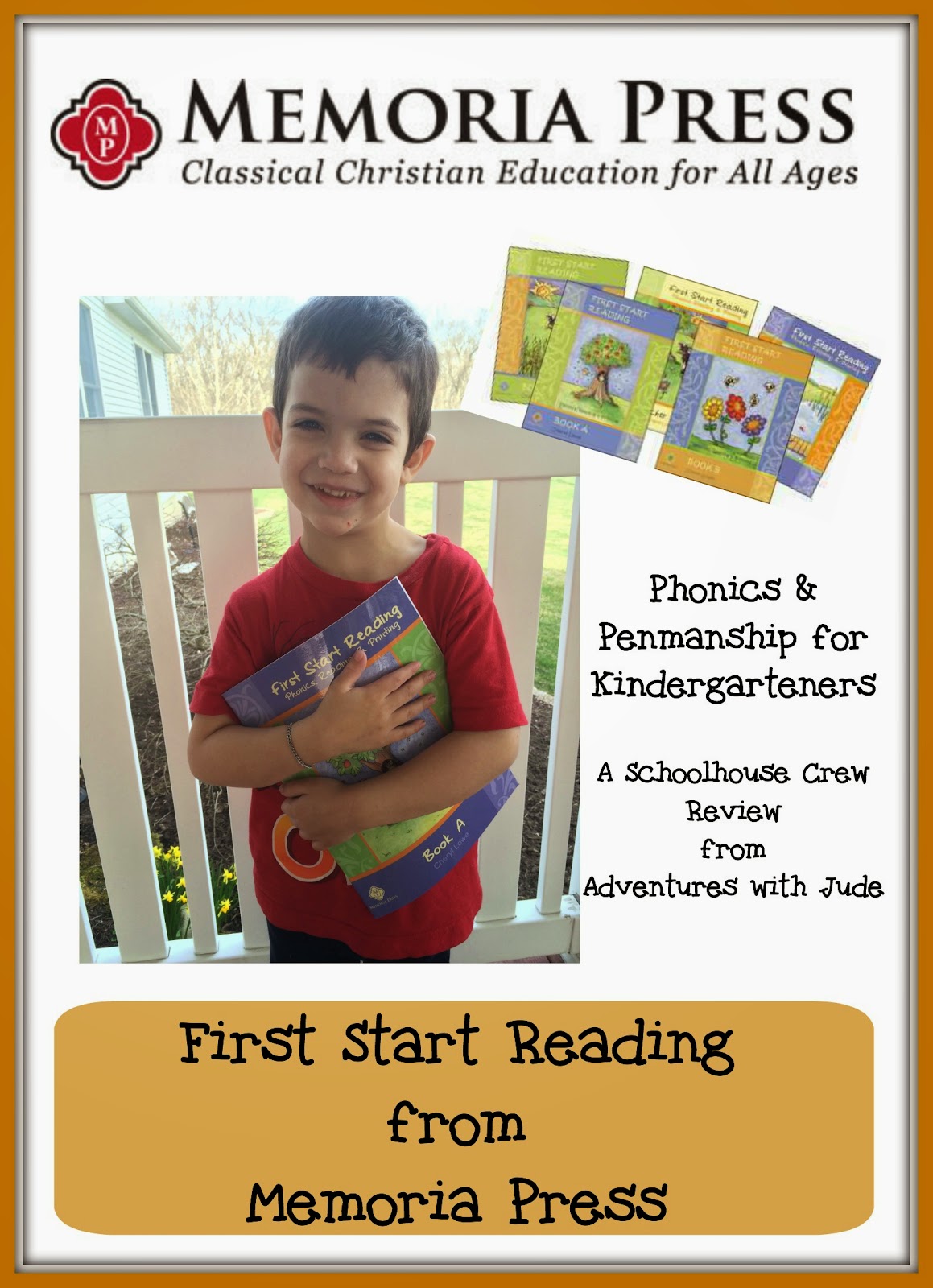
First Start Reading from Memoria Press (A Schoolhouse Crew Review)


Jude is plodding along reading, and Damien is showing signs of being ready to start something more sophisticated than Super Why! videos.  When the Crew gave us the chance to review the complete  First Start Reading  program from Memoria Press, I thought it would be perfect for us.  Since we would receive the Teacher Guide and and one complete set of student books A-D, I thought Damien could start at the beginning, and Jude in the middle.

Memoria Press is well known for their classical-style homeschooling programs.  This curriculum teaches:
  • consonants
  • short and long vowels
  • 45 common words
  • manuscript writing (printing)
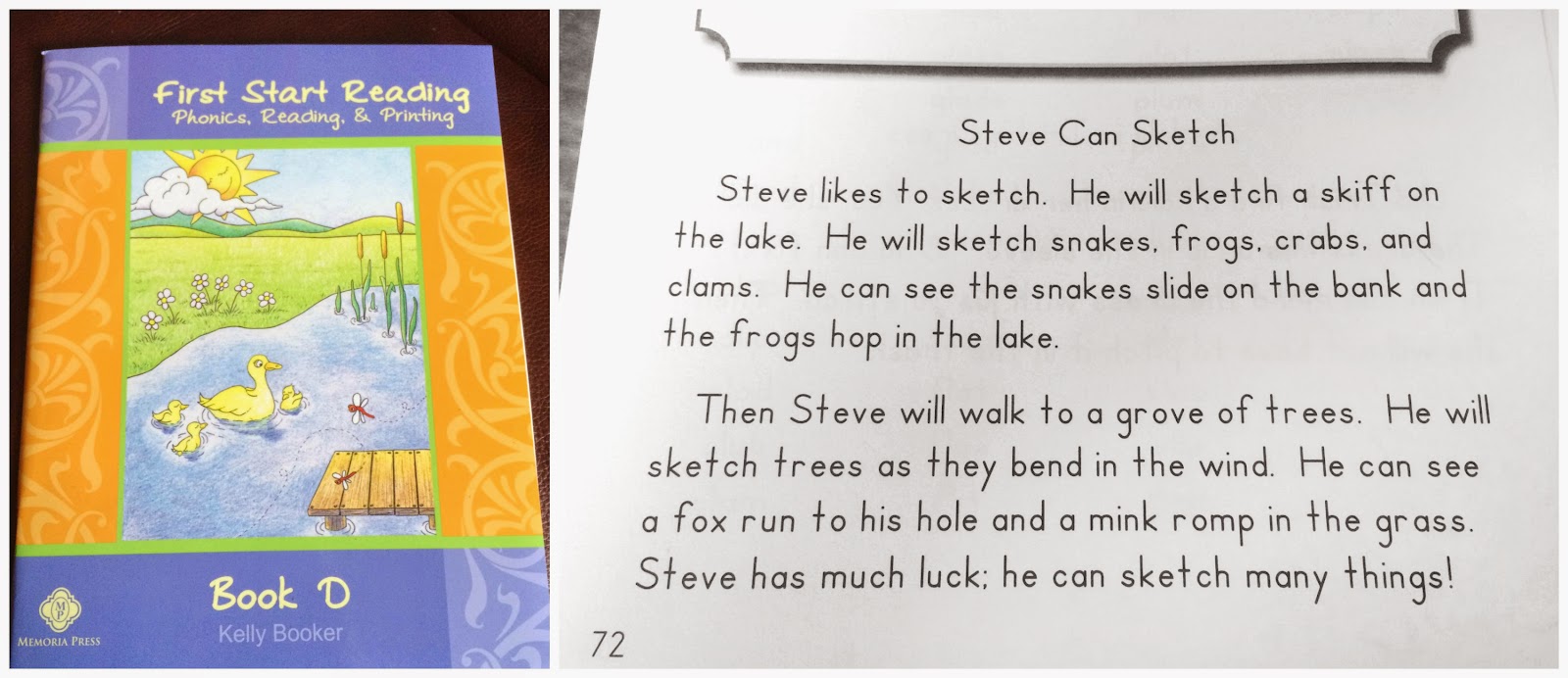
Though Jude's penmanship skills are actually pretty good (copywork is a staple here), I really thought reading-wise that he'd be ready for Book D, given all he had been "taught" were short vowel sounds.  (Book D adds long vowels, diagraphs and common blends into learning to read.)    I glanced through the very introductory Book A, just to see what it was like, before handing Jude Book B.  I was sure this was below his level, but I wanted to just take the five minutes to be certain he didn't have any holes in what he knew, plus I wanted to give him the confidence of "I'm too smart for that book." Apparently, he's picked up enough other rules and patterns in reading/being read to that he just started and kept on going!  The books also contain a total of 31 short stories to practice reading skills.  He read a few passages and then the final passage easily, so I handed over Book C...and then D...and then asked him to read the final passage.  When he read that with reasonable ease for a cold reading, Neal and I looked at each other in amazement. 


While he's figured out all of the sounds in Book D on his own, it put Jude in a really awkward spot with several of the other programs that we have.  I'm not certain where he actually is, but basing placement from "knows everything in Book D" is very difficult with all of the programs we do have.   I'm not overly familiar with the rest of Memoria Press' offerings, but at a quick glance, it looks like Memoria Press' first grade complete curriculum includes phonics work that would build on what is learned in Kindergarten level First Start Reading.  However, since we are not doing a complete packaged curriculum with Jude because of his skill range, I found it a bit awkward to transition to higher levels of the other programs we already have.

So...my first bit of advice is if you're a brand-new-to-phonics student, this is a good choice. Lucky Damien now gets the entire program to himself!


I like the simplicity of the program.  The teacher’s manual and student books (along with pencils and crayons) are all that you need -- I don't have any prep work to do.  Additionally, we've tried a lot of different programs with Jude, and they've run the gamut from literal bells and whistles (for online programs) to other paper-and-pencil ones that were exceptionally austere.  While I prefer a simpler program where the focus is on language and not guessing from the pictures, I liked that this had a little bit of picture to help engage Damien's interests (the program is for Kindergarteners, after all), but not so much that he became focused on the program as a coloring book, or that the child starts to be able to decode from the pictures and not the words.


 We worked in Book A three, sometimes four, days each week - not every day. First, though we are dipping our toes into kindergarten work, Damien is still only four.  The opposite of his brother (of course!), he's doing well with phonemes but struggling a bit with fine motor skills.  Because of this,  we're working on pre/non-writing skills as well. I think a lower-key approach for younger children is better - I'd rather go more slowly and build confidence than try to push through and have him in frustrated tears.

In addition, in the teacher's manual there is a comprehension guide with questions.  I have a separate comprehension book for Jude, so after he showed he could read the passages, I didn't go back to see if he could read them for content.  However, I liked that comprehension was part of the program, because it doesn't really matter much that you can read a story if you can't figure out what is going on in the story!

 I'll admit that it's not my favorite program - but then again, if I was an average homeschooling parent who had only tried one or two programs, it likely would be.  (We are a bit odd here -- how many parents need three hands to count all the phonics programs they've attempted in search of THE ONE that will work for their child's abilities?)  Overall, I think this is a good program, and one we will likely continue to use with Damien.

Click the banner below to read more reviews about Memoria Press' First Start Reading, or follow them on social media:

Facebook: https://www.facebook.com/memoriapress   
Twitter: https://twitter.com/MemoriaPress
Pinterest: https://www.pinterest.com/memoriapress/
Google+: https://plus.google.com/u/0/+Memoriapress1/posts
Instagram: https://instagram.com/memoriapress/


Memoria Press Review


©2012- 2015 Adventures with Jude. All rights reserved. All text, photographs, artwork, and other content may not be reproduced or transmitted in any form without the written consent of the author. http://adventureswithjude.com

Wednesday, May 21, 2014

Learning in the Fast Lane: Our Favorite Carschooling DVDs

We spend a LOT of time on the road.  Last year, we drove 10,147 miles from home to duPont for doctor and therapy appointments.  I was letting the boys just watch videos on their iPads, but then we were offered videos from Curiosity Quest to review, and I had an "AHA!" moment.  If they're going to be staring at a screen, why not make it something educational and count it for schoolwork?  However, "just two DVDs" was not going to work for all the time we spent on the road.  The "bridge hospital" (DuPont Bryn Mawr) is a bit over an hour each way, and we blew through both of the review videos in one trip!

Our Favorite Carschooling DVDs (PK & early elementary)

It seems like a lot of kid videos now are much more "entertainment" than learning.  Understand, I'm not saying you can't learn from SpongeBob.  Luke and I recently discussed the characters as a personification of the seven deadly sins, but I think that's a bit above Jude and Damien's grade levels.  It was a bit tricky to find videos that suited both of them.  Damien is still good with preschool shows, but Jude is between age groups - a little beyond the Blues Clues phase, but not quite ready for the re-enactments of the History Channel.  I also didn't want to buy DVDs of shows they watch on TV.  Yes, there are some great ones on these days, but can I be honest?  I'm so tired of them, and the "official" rules of the road says the driver gets final say on what sounds come out of the radio, right?  Over the last few months, I've been adding to our "school DVD" Collection.  While our library contains several other educational DVDs, here's our list of favorites:

Where on Earth is Carmen Sandiego?

1.  Where on Earth is Carmen Sandiego?    

These have become Jude's second favorite shows (next to Liberty's Kids).  He's become a real history and geography buff, and these suit him perfectly!  The collection is a 4 DVD set, with 40 episodes of Carmen (the entire series) plus bonus features: a full length movie (The Secret Garden) plus the first episode of Liberty's Kids.   This has become our favorite program to watch in the car, and I love how episodes encompass so many fields - history, literature, geography, music, and more - without being overwhelming.

Super Why!

2. Super Why!

I am giving this series full credit for Jude's ability to sing the ABCs.  We had tried just about everything to practice learning the alphabet in order, and he just couldn't grasp it.  He fell in love with Super Why!  I have no explanation for it - because he's seen plenty of other shows, but this one just works for him.  Damien also loves the show, and thanks to it can identify letters and their sounds, sing the alphabet, and is starting to recognize cluster phonemes (like /ch/ and /sh/).


Bear in the Big Blue House

3.  Bear in the Big Blue House

I admit, this shows just how many generations of preschool TV we have been through.  Bear was one of Luke's favorite characters when he was a toddler and preschooler, and of all the shows we've seen, this is one of the few I miss.  Finding suitable Bear DVDs was a little tough, because most really are focused on preschool themes.  The first one I ordered was "Dance Party" and it quickly became a favorite. (Who doesn't love a good "Bear Cha Cha Cha" to groove to?)  Much to my surprise, Mr. "I-don't-interact-with-videos" Jude has been singing along!  Since then, we've added "A Bear for All Seasons" and "Storytelling with Bear" to our collection.


Disney Animation Classics The Wind in the Willows

4.  Walt Disney Animation Collection: Classic Short Films

The Wind in the Willows was the first of these we added.  I chose it purposely for its literature angle - this disc contained not just the title story, but also included
  • "The Grasshopper and the Ants"
  • "The Ugly Duckling"
  • "The Wise Little Hen"
  • "The Robber Kitten" 
  • "The Golden Touch" (the story of King Midas)
Disney's American Legends

We will be adding others from this series soon, so that we have a variety of these short stories to enjoy.   Luke just finished a unit on the American "Tall Tale" genre, so we added Disney's American Legends to our stash as well.  He liked watching the different interpretation of the stories -- these legends have taken a life of their own and he has enjoyed hearing their version of theses tales.


Old School Sesame Street

5.  "Old School" Sesame Street 

Who doesn't love Sesame Street?  I got these particular DVDs because they are of "old school" Sesame Street.  While Children's Television Workshop has compiled some "themed" videos (featuring vignettes of letters or numbers grouped onto a single offering), I love these classic episodes of a live action story interspersed with single-concept skits.   They don't necessarily fit a particular class category (like our Bear DVD for "music" and phonics from Super Why?), but they are a great "learning but you don't really know it" show for relaxing with on the ride home.


Educational DVDs are a great way for us to not feel like we are wasting hours of driving time.  While the boys think they're getting away with a treat and watching a video, it's a practical way for us to cover some of the subjects I want them to learn in a way that doesn't leave us overwhelmed with ground to cover in the appointment-shortened days. As everyone gets older, we can add in other videos - like the History channel ones or movie adaptations of literature and play. I've already got my eye on some classic Schoolhouse Rock! videos...


Sharing with:

blogging through the alphabet sm. The Pebble PondThoughtful Spot Weekly Blog Hop
D is for DVDs


©2012- 2014 Adventures with Jude. All rights reserved. All text, photographs, artwork, and other content may not be reproduced or transmitted in any form without the written consent of the author. http://adventureswithjude.com

Monday, August 19, 2013

Reading Kingdom (A Schoolhouse Crew Review)


Reading Kingdom logo photo readingkingdomlogo_zps9012735a.jpg

I don't remember learning to read.  I also don't necessarily know how I read something.  I just do.  Now that I'm trying to teach Jude how to read, I am realizing just how hard it is to read!  Add to the mix that Jude has Phonological (Articulation) and Phonemic awareness  disorders (these mean he doesn't properly process sounds that he hears), and reading often seems an impossible task.  We've tried several programs, and finally found one that suits him, but progress has been slow.  It's also fairly dry work.  "The perfect reading program" is an ongoing search.  I'm not certain that Reading Kingdom is "perfect," but I think it's pretty close. 


Reading Kingdom is a online program that teaches children how to read. It is geared for students ages 4-10, and by the end of the program will have a student successfully reading at a third grade level.  It uses a unique method of teaching that includes but is not limited to phonics OR whole word reading.  After reading details about the program, it makes sense.  Here's the company's philosophy:

Current reading education typically teaches a phonics approach, a whole language approach, or a combination of the two. But the simple fact is that the vast majority of words in the English language cannot be sounded out. This is true even in a classic phonics book such as Dr. Seuss' "The Cat in the Hat" which begins with:
The sun did not shine. It was too wet to play.
So we sat in the house all that cold, cold wet day.
In this text only 8 of 23 words (the bolded words) can be sounded out. The other 15 (or 65% of the total) cannot. In order to overcome the problems inherent in sounding out, phonics relies on children memorizing almost 600 rules, such as the "silent e" rule, the double vowel rule, the consonant combination rule and on and on. Remembering nearly 600 rules is impossible for a child - or even an adult for that matter. What's worse is that the rules themselves are riddled with exceptions. For better or worse, in English, irregularity is the rule. To put it simply, if phonics worked as advertised to teach a child to read it would be spelled "foniks".

Whole language has had even poorer results. It provides very little structure for learning and as a result, children are overwhelmed with unfamiliar words and sentence structures - and reading failure often ensues.
You know what? They have a very distinct point.  Programs that ave very phonics based don't work for us - Jude can't hear the sounds properly.  Whole word requires memorizing - sure, there are some "sight words" that make life easier (it makes more sense to just memorize some of the words on the Dolch word list than try to sound out "the" or "how" or even "Santa" than try to sound them out every time you come across them), but even I look at that list and am overwhelmed at the thought of trying to memorize all of them.   Throw in that English is a language with its roots in every other language, and you're not really learning "English" rules but "rules from every other language around the world."  Words commonly used by young students come from every language - pretzel is German, digital (camera) is from Latin (and the "a" there doesn't sound like "a is for apple"),  the word candy is of Arabic descent, and the word ketchup (practically an entire food group in this house) is actually rooted in Chinese.  I remember when I first learned to speak Spanish.  While I sometimes struggled to understand the words (because I was used to thinking in another language), verbalizing what was on the page was simple - with the exception of three sounds (ll, ñ, rr) everything is "say what you see."   English - not so much.  Looking at learning to read from a teacher's perspective, I can see why he's feeling overwhelmed!


Reading Kingdom uses both phonics and sight word concepts, but in a very unique way.  Dr. Marion Blank has created a program that incorporates tenets of both phonics and whole language programs, but goes beyond adding the "work behind the words." 


Literally before you start anything else, Reading Kingdom starts with letter recognition and sequencing.  If you're reading in English, how do you read?  Left to right, of course.  But how do you know that? Did anybody ever say "start at the left, and work this way?"  I don't remember ever learning "left to right."  But yes, it is crucial for reading that you know "which way" the sounds and words are going.

Reading Kingdom screenshot photo readingkingdom4screenshot_zps4c5404a8.jpg

Here is an example of a sequencing exercise.  The student uses a mouse to click on the letters that make the word "dog."  This one is fairly easy - just picking out the letters d, o, and g amongst the rest.  However, there are some exercises where the letters might be  o, s, d, o, r, g.   The student has to pick out "d-o-g", but can't just look at the screen and say "Oh, there's an 'o' there on the end." He has to click on the letter o that is after the d. 


Reading Kingdom screenshot photo readingkingdom3screenshot_zpsc60cb6fc.jpg

The student also learns the computer keyboard at the very beginning.  Now, Jude isn't typing, but he can find letters on the keyboard.  He has an iPad and loves looking up videos.  We will now either sound or spell out what he wants to see, and he hunt-and-peck types the letters.  His keyboarding skills have gotten much better. He also has learned that some keys are "sharing keys" - Reading Kingdom includes punctuation marks such as quotation marks, apostrophe, comma, period, and question mark - the "core punctuation" that you see most frequently.   


Reading Kingdom also starts small and "builds on."  For example, this lesson starts with:


(Actually, it just starts with introducing the word "the," but I didn't get a screen shot fast enough!)

Then it builds on:


The green upright bars indicate "use the space bar."  See how he's learning not just the words are important, but the space between the words too - so you know it's a new word coming.  If the student doesn't know the next letter, or mistypes, the answer will appear on the screen (here, the letter E is highlighted) but it is up to the student to type/click on it.  Even with the answer shown to him, he must return it to the program, reinforcing the concept. 

This is where the six-prong approach of Dr. Blank really shines.  In this one sentence, Jude is working on sequencing, syntax, comprehension, spelling, listening, and typing.  It's also a natural progression.  The reward for "the pet" is a single dog.  But then, you can see it segues into "The kids pet the cat,"  showing that the word "pet" has use as both an animal (a noun) and an action (a verb).   However, instead of saying "Here's the noun, 'pet,'" and "Here's the verb, 'pet,'" the program organically shows it in both settings.  And this makes sense to me - at home, I wills say "Our pets are our cats," or "Pet  Toby gently," and never really thought about saying "Pet can mean the animal, or when you rub his head." 

There are frequent rewards with this program.  When you finish a task, there is a small "cheer" and a short animation.  If you hit an incorrect key, the program will buzz with some sort of negative reinforcer (a buzz, an "uh-uh," etc.) and then the student can try again.  At the end of each lesson, a "Passport" shows.  Correct answers add points to your score.  After a set number of points are earned, another Passport reward opens.  This is one place where I don't like the program.  At the start, Jude was doing two and three lessons a day (shocking!) because he knew that it only took two or three rounds to get a Passport reward.  It took him two weeks to earn the one for the level that he's on, and I notice he's not as excited this time - because again, he's getting to the Passport and he isn't seeing any progress there.  It appears that the rewards are based on reaching the end of a section, but I wish there was another reward at the halfway mark of the books to help keep interest. 

One thing Reading Kingdom stresses is that there should be minimal parental help.  I agree that it is important that the student figure things out on his own.  However, I found that I needed to sit with Jude and repeat things to him.  If you have a student who is easily distracted, you may find that the lag time between tasks might be long enough that you have to remind him to stay focused.  When there were auditory exercises - for example, the program says "Type 'pet,'" - I would have to repeat it to him, often stressing or elongating sounds.  I wouldn't tell him which letter to touch, but sometimes he needed help figuring out that the word needed an "e" instead of an "i," or that there is a "t" at the end.  He sometimes would fuss at the screen because he had typed what he had heard and was still getting "Type this word..." instructions.

Reading Kingdom does keep the parent informed of how the student is doing.  I have had weekly email updates showing how he's doing:


 and there is a parents' section on the account where I can access details of his progress.


Of course, no matter how well a program works, it is only useful to you if you can afford it.  The company offers a free 30-day trial, and I would encourage a parent to use this time to discern if the program is suited to the child, before putting any money into it. There are two options for the paid program - either $19.99/mo (no minimum) or $199.99 for annual membership (giving you a 20% discount if you prepay for a year).  Reading Kingdom also recognizes you may have more than one in-progress reader, so additional children can be added to your account for $9.99/$99.99 per student.  While not a "cheap" program if you figure the total costs over time, I think it is a program that you get a true value with.  You're not just getting a curriculum that goes from start to finish, but one that also adjusts to your student - skipping over things he has proven he knows, and slowing down/repeating things that he has struggled with.

Here's something I LOVE about this company. They are absolutely committed to improving literacy. If this is a true hardship for you to pay, Reading Kingdom does offer scholarships where the program fee is waived.  I don't know what information they use to determine eligibility, but I wouldn't let the cost stop me from at least trying the program.  If you do the trial and find it's working for you, I would encourage you to apply for the scholarship program before saying "We can't afford this," and pass on it totally.

For my in-a-school friends - this is a program that can work for you as well!  It would make a great short at-home reinforcement program, since lessons are a dynamic 15-20 minutes and not a huge pile-on of extra work.  For a classroom setting, with three or four computers (with headphones!) in your classroom, each student should be able to do the program three days per week.  Reading Kingdom will give pricing upon request, but states they offer classrooms "significant discounts."

I'm not quite ready to give up on our other reading program, because it is teaching things like sound chaining and penmanship that Reading Kingdom is not.  However, it is definitely a program we will continue using, because it approaches reading from a different angle.  I'm also considering it for Damien for maybe after Christmas - once he's able to sit for a bit longer.  I really liked it for my struggling new reader.  Click on the banner below to see what families with students at other levels thought.

Photobucket


©2012- 2013 Adventures with Jude. All rights reserved. All text, photographs, artwork, and other content may not be reproduced or transmitted in any form without the written consent of the author. http://adventureswithjude.com
Related Posts Plugin for WordPress, Blogger...
Pin It button on image hover